- Details
If you want me to correct your image for $2, please let me know at
For two years, I looked at AI-generated images and tried to understand how I could use this technology. Over time, I realized that the uniformity of AI images irritated me, but their quality was clearly superior to DAZ Studio renderings. I set a goal: to find a way to improve the quality of 3D rendering in AI, to do re-rendering.
At the end of 2025, I got my first result using the FLUX.1 model, which I liked. With the release of the FLUX.2 model, the result became even better. I continue to study this technology to achieve better results. And I still use Photoshop to combine different images into one.
If you want to do the re-rendering yourself, here's my process: ComfyUI + Flux.2 + img2img process + LORAs for correcting body parts.
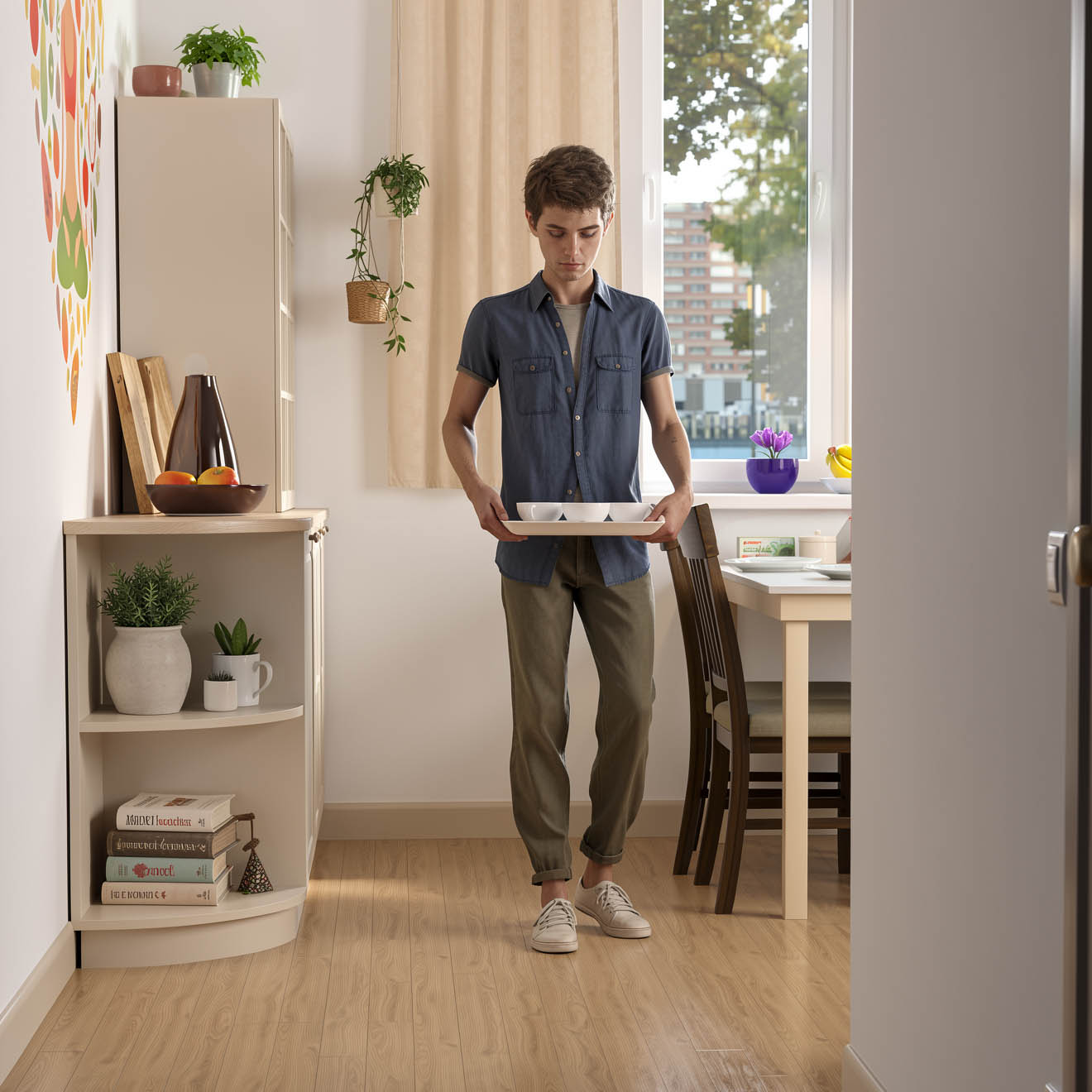
Below you will see the original image. To view the re-rendered version, hover your mouse cursor over the image or click on it with your mouse or finger.
🠛 The kitchen seemed bare to me, so I asked for more details. I didn't specify what needed to be added or where; that would have taken more time. The model herself decided which items were appropriate for the kitchen. See full size ♂️

- Details
JSON Prompt
- Ideogram 4 Official documentation on composing JSON prompts with style description examples: https://github.com/ideogram-oss/ideogram4/blob/main/docs/prompting.md
- Ideogram 4 JSON Captioner: a local desktop editor for image-caption pairs in Ideogram 4 structured JSON format https://github.com/Auryg/Ideogram-Json-Captioner
- FLUX.2 [klein] Prompting Guide: https://docs.bfl.ai/guides/usecases_t2i_json_prompting
Regular prompt
- Krea 2 оfficial information. Please see the expansion.txt link. https://github.com/krea-ai/krea-2/blob/main/docs/prompting.md
- Flux.2 Edit Single-Reference Editing https://docs.bfl.ai/guides/prompting_editing_single_reference
- Flux.2 Edit Multi-Reference Editing https://docs.bfl.ai/guides/prompting_editing_multi_reference
- Flux cheat sheet with camera terms, lighting and style keywords, and ready-to-use example prompts: https://docs.bfl.ai/guides/prompting_unified_reference
- FLUX.1 Prompting: use this structure for consistent results: Subject + Action + Style + Context.
- FLUX.1 Prompting Guide: https://docs.bfl.ai/guides/prompting_summary
Finished prompts
- Prompts with photos and videos of the resulting images. Check out the Blog section: https://promptstudio.tools/

- Details
Upscalers
Openmodeldb. There are hundreds of models available for upscaling: https://openmodeldb.info/ Many models are unique in that they are trained for specific tasks and cannot be used in Comfyui without conversion. However, chaiNNer eliminates the need for conversion https://github.com/chaiNNer-org/chaiNNer .
Upscayl is another simple image scaling program. Its quality is comparable to the paid Gigapixel upscaler. Dounload here: https://github.com/upscayl/upscayl
- Details

AI Radio — Neural Network FM https://neuralnetworkfm.online/radio
AI Image Detector - Detect AI Images Free Online (2026)
- https://www.aidetectlab.com
- https://isgen.ai/ai-image-detector
- https://deepai.org/ai-image-detector
- https://notegpt.io/ai-image-detector
- https://decopy.ai/ai-image-detector
Lessons and articles about AI
- Useful articles and tutorials for beginners learning image and sound generation in AI https://stable-diffusion-art.com/tutorials/ and https://www.stablediffusiontutorials.com/
- Details

I am not an expert in artificial intelligence. I followed my intuition and am sharing the results I obtained.
I was doing test generations with my new workflow. The prompt was very simple: “A naked woman in water.” After about a dozen tests, I got tired of looking at the same image. I increased the Noise Seed by 1 to see a different image. But it turned out to be very similar to the previous one. This happened several more times. You can see this in the first row (steps 0–20) of the image Plot-1.